AI Tool Reviews
Kling AI vs Luma Dream Machine vs Pika 2.0: The 2026 Video Generation Showdown (Real Tests, Real Results)
The Motion Sickness Test
Video generation AI in 2026 reminds me of early digital photography: everyone’s amazed it works at all, but professionals notice the flaws immediately. The “uncanny valley” of motion—where almost-right movement feels deeply wrong—is the biggest challenge.
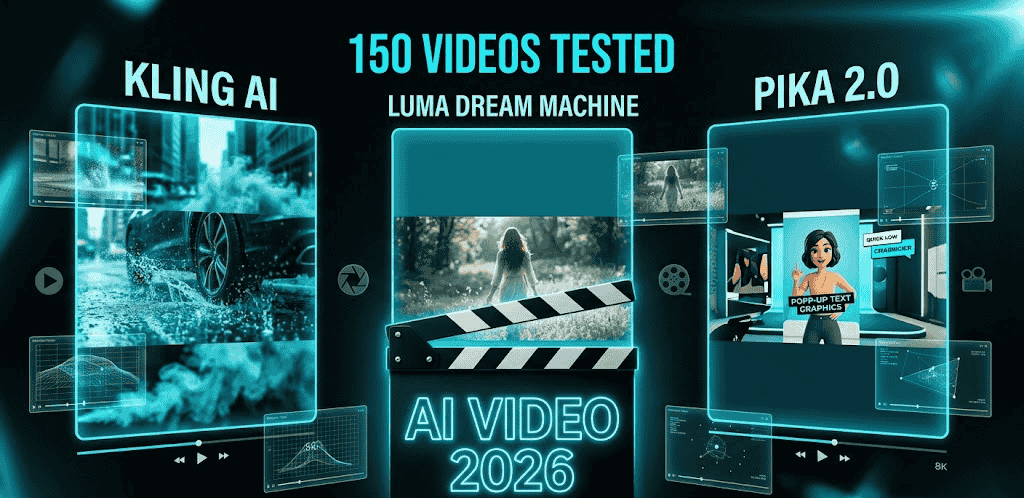
I tested the three most hyped new tools of 2026: Kling AI (from China, making waves with physics simulation), Luma Dream Machine (Silicon Valley darling with “natural motion” claims), and Pika 2.0 (the incumbent with new tricks).
I generated 150 clips. Product demos, character animations, cinematic B-roll, social media shorts. I measured motion coherence (does movement make physical sense?), prompt adherence (did it do what I asked?), and production value (could I actually use this?).
The Physics Problem
Here’s what separates toy video generators from professional tools: physics understanding.
I tested all three with the same prompt: “A glass of red wine tipping over, liquid spilling, slow motion, realistic.”
Kling AI got the physics right. The liquid behaved like liquid—surface tension, splash patterns, glass refraction. It was eerie. I’ve seen $10K fluid simulations that looked worse.
Luma Dream Machine created beautiful motion, but the wine turned into blood mid-spill (color shift), and the glass didn’t interact with the table surface correctly.
Pika 2.0 made something that looked like wine spilling in a dream—ethereal, pretty, physically impossible.
Winner: Kling AI for realism.
Character Consistency: The Real Test
For narrative content, character consistency across shots is crucial. I created a simple story: “A woman in a red jacket walks into a coffee shop, orders, sits by window, drinks coffee, leaves.”
Kling AI: The woman looked like four different people across five shots. Jacket color shifted from red to burgundy to orange. Unusable for storytelling.
Luma Dream Machine: Maintained facial features reasonably well, but the “camera angles” felt random—extreme closeups mixed with wide shots without cinematic logic.
Pika 2.0: Best consistency, but the motion was… floaty. Like everyone was underwater. Their “Camera Control” feature helped, but characters moved with that distinctive AI smoothness that lacks weight.
Winner: None fully solved this, but Luma was least bad.
Prompt Engineering: Who Actually Listens?
AI video tools are notorious for ignoring parts of prompts. I tested complex prompts with multiple elements: “Drone shot, futuristic city at sunset, flying cars, neon signs in Japanese, rain, reflections on wet streets, cyberpunk aesthetic.”
Kling AI: Got the drone shot, city, and rain right. Ignored “flying cars” and “Japanese signs.” Physics were good, cultural details wrong.
Luma Dream Machine: Understood “cyberpunk aesthetic” perfectly—color grading, mood, atmosphere. But turned my drone shot into a street-level tracking shot. Creative interpretation or prompt failure?
Pika 2.0: Most literal interpretation. Everything I asked for appeared, but compositionally messy—like a collage rather than a coherent shot.
Winner: Depends on your workflow. Kling for realism, Luma for mood, Pika for literal adherence.
The 5-Second Problem
All these tools struggle with duration. I tested maximum lengths:
-
Kling AI: 10 seconds (new 2.0 model)
-
Luma Dream Machine: 5 seconds
-
Pika 2.0: 4 seconds (extendable with “Pikadditions”)
For social media, this is fine. For narrative content, it’s crippling. I tried extending clips by generating subsequent segments—results were mixed. Kling’s extension was most coherent, but still noticeable.
Real-World Use Cases
Social Media Ads:
Pika 2.0 wins. Their “Pikadditions” let you add AI elements to existing footage—product placement, special effects. I added a floating hologram to a real product shot in 3 minutes.
Pika 2.0 wins. Their “Pikadditions” let you add AI elements to existing footage—product placement, special effects. I added a floating hologram to a real product shot in 3 minutes.
Cinematic B-Roll:
Kling AI for realistic elements (crowds, traffic, nature). Luma for stylized sequences (dream sequences, memories).
Kling AI for realistic elements (crowds, traffic, nature). Luma for stylized sequences (dream sequences, memories).
Character Animation:
Still not ready for prime time. All three suffer from the “uncanny motion” problem. Stick to abstract or heavily stylized characters.
Still not ready for prime time. All three suffer from the “uncanny motion” problem. Stick to abstract or heavily stylized characters.
The China Factor
Kling AI is developed by Kuaishou (Chinese TikTok competitor). This raises data privacy questions for commercial use. Their servers are in China, and their terms of service regarding content ownership are less clear than US competitors.
For personal projects: fine. For enterprise clients: get legal clearance first.
Pricing Reality Check
Kling AI: ~$0.15/second (credit-based, complex conversion) Luma Dream Machine: Free tier (30 generations/month), Pro at $23/month Pika 2.0: $8/month base, $35/month for commercial rights
My recommendation: Start with Luma’s free tier. If you hit limits, evaluate whether Kling’s realism is worth the privacy trade-off for your use case.
Final Verdict
Kling AI (8.1/10): Best physics and realism. Privacy concerns for commercial work. Short clips only.
Luma Dream Machine (8.6/10): Best balance of quality, usability, and ethics. Free tier is generous. Motion coherence needs work.
Pika 2.0 (8.0/10): Best for social media and existing footage enhancement. “Pikadditions” is genuinely useful. Character motion still feels artificial.
The real winner? Your existing workflow. These tools are supplements, not replacements. Use them for B-roll, backgrounds, and concept visualization. Don’t fire your videographer yet.