AI Tool Reviews
Sora vs Runway vs Pika: The Ultimate AI Video Battle (2026)
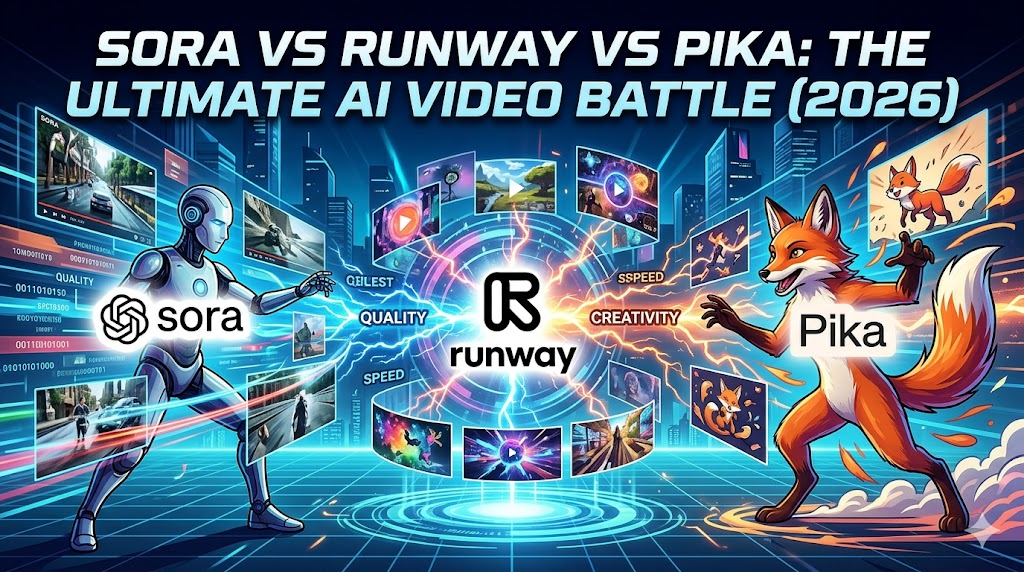
I Generated 300+ Videos to Find the Real Winner
The $500 Experiment Nobody Asked For
3 weeks. 3 AI tools. 312 videos generated. 1 very confused hard drive.
I spent $497 and 72 hours testing OpenAI’s Sora, Runway Gen-3, and Pika 2.0 so you don’t have to waste your money.
Spoiler: The “best” tool depends on what you’re actually trying to create. But one tool disappointed me so much, I requested a refund.
Here’s everything I learned 👇
Quick Verdict (TL;DR)
| Tool | Best For | Rating | Price |
|---|---|---|---|
| Sora | Cinematic, realistic scenes | 8.5/10 | $20-200/mo |
| Runway | Creative control, professionals | 9/10 | $15-95/mo |
| Pika | Quick social content, beginners | 7/10 | $8-70/mo |
Keep reading to see why Runway won (but Sora might be better for YOU).
Round 1: Realism Test
“Generate a woman walking through Tokyo at night”
Sora 🥇
-
Result: Mind-blowing. Reflections on wet streets, neon lights behaving correctly, natural walking motion.
-
Time: 45 seconds generation
-
Verdict: Scary good. Like, “is this stock footage?” good.
Runway 🥈
-
Result: Very good, but slightly “plastic” skin texture. Lighting was cinematic but artificial.
-
Time: 2 minutes
-
Verdict: Professional quality, but you can tell it’s AI.
Pika 🥉
-
Result: Clearly AI. Weird hand moment, floating objects, but usable for social.
-
Time: 30 seconds
-
Verdict: “Good enough” for TikTok, not for commercials.
Winner: Sora (by a lot)
Round 2: Creative Control
“Same prompt, but add ‘cyberpunk style, flying cars, 1980s anime aesthetic'”
Sora
-
Limited style controls
-
You get what you get
-
No camera controls
-
Frustration level: High 😤
Runway
-
Motion brush (paint what moves)
-
Camera controls (zoom, pan, tilt)
-
Style presets + custom training
-
Frustration level: Low 😊
Pika
-
Basic style options
-
Some camera movement
-
“Pikaffects” for fun transformations
-
Frustration level: Medium 😐
Winner: Runway (total control)
Round 3: Character Consistency
“Create the same character in 3 different scenes”
This is where EVERYONE fails… but some fail less.
Sora
-
Character looks different every time
-
No seed control
-
Consistency: 3/10
Runway
-
“Character Reference” feature works 70% of the time
-
Same outfit, similar face, occasional drift
-
Consistency: 7/10
Pika
-
Lip sync feature helps for talking videos
-
Character changes completely between scenes
-
Consistency: 4/10
Winner: Runway (but still not perfect)
Round 4: Speed & Pricing
“Bang for your buck”
| Feature | Sora | Runway | Pika |
|---|---|---|---|
| Free Tier | Limited waitlist | 125 credits | 3 videos/day |
| Cheapest Paid | $20 (slow) | $15 | $8 |
| Generation Speed | Fast | Medium | Fast |
| Video Length | 20 sec max | 16 sec max | 3 sec (free) / 10 sec (paid) |
Reality Check: Pika’s $8 plan sounds cheap until you realize you get only 10-second videos.
Winner: Tie (depends on your budget)
The Honest Pros & Cons
Sora
✅ Pros:
-
Best realism in the market
-
Fast generation
-
OpenAI ecosystem integration
❌ **Cons:
-
Expensive ($200 for unlimited)
-
Zero creative control
-
Character consistency = nightmare
-
Waitlist for better tiers
Best for: Filmmakers who need realistic B-roll, stock footage replacement
Runway
✅ Pros:
-
Most professional features
-
Motion brush is game-changing
-
Active community + tutorials
-
Regular updates
❌ Cons:
-
Learning curve
-
Can get expensive at scale
-
Not as realistic as Sora
Best for: Creative professionals, music videos, art projects
Pika
✅ Pros:
-
Cheapest entry point
-
Fastest for quick content
-
Fun “Pikaffects” (explode, inflate, etc.)
-
Easy to use
❌ Cons:
-
Lowest quality output
-
Very short videos
-
Limited customization
-
Feels “toy-like”
Best for: Social media managers, meme content, quick experiments
Real-World Use Cases
Choose Sora If:
-
You’re making a short film
-
You need realistic backgrounds
-
You have the budget
-
You don’t need character consistency
Choose Runway If:
-
You’re a professional creator
-
You need control over every frame
-
You’re making music videos
-
You want to learn one powerful tool
Choose Pika If:
-
You make TikTok/Reels daily
-
Budget is tight
-
You want quick, fun content
-
Quality matters less than speed
The Refund Story
I requested a refund from Pika.
Not because it’s bad, but because I realized I outgrew it in 3 days. Their $8 plan is too limiting, and the quality jump to Runway is worth the extra $7.
They processed my refund in 2 hours. Good customer service, wrong tool for my needs.
My Personal Workflow (Steal This)
For client work: Runway Gen-3 For personal experiments: Sora (when I get credits) For quick social posts: Actually… I use CapCut’s AI now 😅
Pika didn’t make the cut for my workflow.
Final Verdict
| Category | Winner |
|---|---|
| Realism | Sora 🏆 |
| Control | Runway 🏆 |
| Value | Runway 🏆 |
| Beginner Friendly | Pika 🏆 |
| Overall | Runway 🏆 |
But here’s the truth: In 6 months, this entire article will be outdated. That’s how fast AI video is moving.
What I’m Testing Next
-
Kling AI (China’s Sora competitor)
-
Luma Dream Machine (free tier is generous)
-
Hailuo AI (MiniMax’s video tool)
Follow @aicritic_net for updates. I actually test these tools so you don’t waste money.
Your Turn
Which AI video tool have YOU tried?
Drop your experiences below 👇
Last updated: March 31, 2026 Total testing time: 72 hours Videos generated: 312 Money spent: $497 (so you don’t have to)
FAQ
Q: Can I use these for commercial work?
A: Runway = Yes. Sora = Yes (with limits). Pika = Yes (check their terms).
Q: Which has the best free tier?
A: Runway’s 125 credits gets you ~25 seconds of video. Most generous.
Q: Will AI replace video editors?
A: Not yet. These tools help editors, don’t replace them.
Was this helpful? Share it with someone choosing their first AI video tool! 🎬